


Spades Stars - Card Game
4.86.50K Reviews
App Specs
- Version
- 2.6.0
- Updated On
- License
- Free
- Downloads
- 1,000,000+
- Developer
- Bluetile
- Categories
- Card
- Platform
- Android, iOS
Screenshots
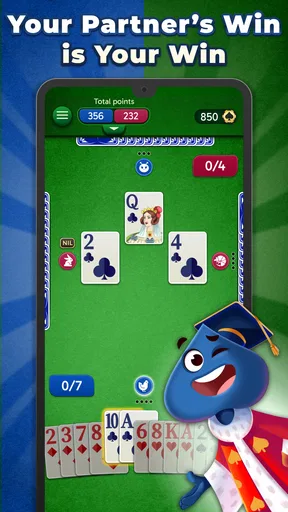
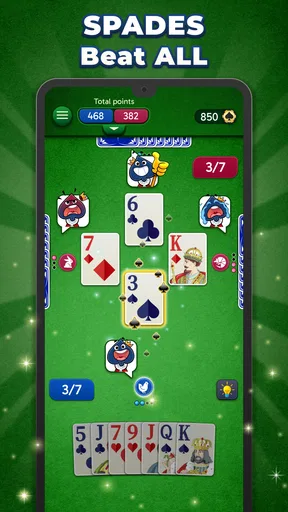
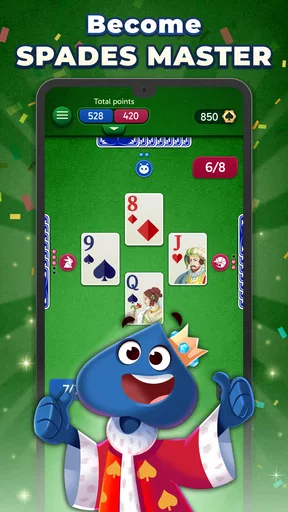
 Analysis by AppCompare
When I want a card game that fits into a short break, I look for rules I can follow without a long setup and enough decision-making to keep a hand interesting. Spades Stars - Card Game is a mobile take on Spades from Playvalve, and its appeal is straightforward: it brings a familiar partnership card game to a phone, with play described as available offline as well as with friends. I see it as an easy way to get a few hands in, rather than a replacement for every kind of card-game experience.
What the free price does—and doesn’t—tell you
The game is free to download, which makes trying it a low-commitment choice. It also offers in-app purchases priced from $0.99 to $99.99 per item, so “free” describes the starting point, not every possible purchase. I’d begin without spending anything and decide whether the game suits my habits before considering optional items. The listed purchase range alone doesn’t tell me what each item does or whether any purchase is necessary, so I wouldn’t treat a bigger price as a shortcut to a better Spades game.
That distinction matters for a card game. The core value is whether I enjoy playing hands and want to return, not how much extra content I can buy. If I’m only looking for an occasional offline game, free access may be all I need. If I’m drawn to optional purchases, I’d check the item details in the app and set a personal limit first; the upper end of the range is substantial enough that an impulse tap deserves a pause.
Getting Started with Spades Stars
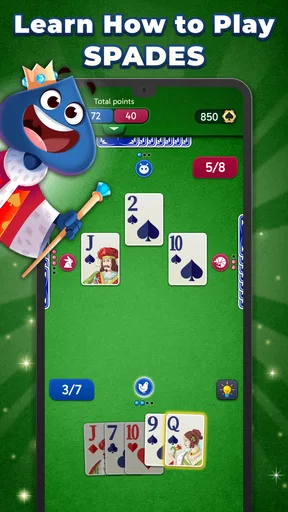
When you first dive into Spades Stars - Card Game, the interface is clean and inviting. I felt right at home as soon as I opened the app. The tutorial is a nice touch for newbies or those a bit rusty on the rules. It walks you through the basics without being overwhelming. Whether you’re playing solo or with friends, the app makes it easy to jump into a game.
Gameplay and Features
The gameplay is slick and smooth, which is a must for any card game app. I was impressed by the variety of modes available. You can play with AI if you're flying solo or join tables with friends or random players. The multiplayer experience is seamless, with a matchmaking system that gets you into a game quickly. No more waiting around!
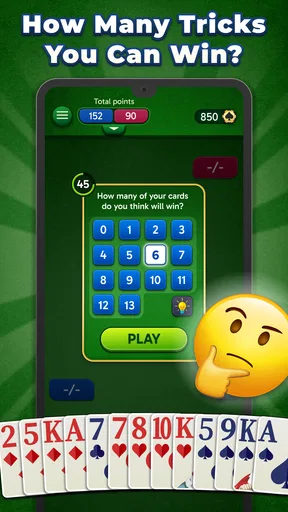
For a new player, I’d use the tutorial as a starting point, then slow down during actual hands and pay attention to how each play affects the partnership. Spades is not just a race to take tricks: bidding and coordinating your expectations with a partner are part of what makes the game rewarding. A quick tutorial can make the rules feel less intimidating, but experience comes from seeing how a hand develops and learning when a cautious bid is wiser than an ambitious one.
Playing against AI is useful when I want to practice without worrying about keeping another person waiting. It also gives me a way to get comfortable with the rhythm of a hand before joining a table with other players. That said, an AI game is not a full substitute for reading a human partner’s choices or adapting to the unpredictability of friends. I’d treat solo play as convenient practice and relaxed entertainment, not as proof that I’m ready for every competitive table.
Worth Reading Before You Choose

EA SPORTS FC Mobile 26 Is a Bigger Football Game, but It Takes Time

Flipboard Shows What News Apps Must Do Beyond the Feed

Switching to Android Auto Means Rethinking Your Driving Routine

Google Calendar Makes a Crowded Week Easier to Manage

Ludo King Makes the Most of the Minutes Between Plans

Baby Panda World Brings Quick Play to Modern Phones, but Its Game Library Feels Busy
Offline access is particularly useful when I’m travelling, waiting somewhere with an unreliable connection, or simply trying to avoid turning a brief break into a social session. Before relying on it for a trip, I’d open the game and check that the mode I want is available offline; the store summary highlights offline play, but an internet-based table with other people naturally serves a different purpose. This is a practical distinction: offline is for dependable solo time, while playing with friends or random opponents is the choice when I want interaction.
One useful way to keep a casual session from becoming frustrating is to decide what I want from it before I start. If I have only a few minutes, I’ll choose a relaxed solo hand rather than beginning a multiplayer game I may need to abandon. If I have time for a full session, a table with other players makes more sense. That small choice helps match the game mode to the moment instead of expecting every mode to suit every break.
One feature that really stands out is the customization options. You can tweak your avatars and choose different card designs, which adds a personal touch to your gaming experience. And let's not forget the in-game chat function. It’s always fun to exchange a bit of banter with your opponents.
Customization is a pleasant extra, but I’d put it behind readability and comfort when choosing a card design. A bold deck may look distinctive, yet a clear design is more useful when I’m trying to recognize cards quickly during a hand. Chat can make a table feel more sociable, especially with friends, but it won’t be everyone’s preference. If I want a quiet, focused game, I can value the cards and decisions without treating conversation as part of the main attraction.
Visuals and Sound
The graphics are crisp and vibrant, creating an immersive game environment. The animations are smooth, and the sound effects add to the excitement without being intrusive. The developers did a great job making sure the app is visually appealing without overdoing it. It strikes a nice balance between modern design and classic card game aesthetics.
For this kind of game, the most important visual test is whether I can follow the cards and the flow of a hand without effort. A polished table can make a session feel inviting, but decorative touches should remain secondary to clear card faces and an interface I can read at a glance. I’d also adjust my expectations to the setting: sound can add atmosphere when I’m playing at home, while a quiet environment or headphones may be preferable in a shared space.
What Keeps Me Coming Back
What I love most about Spades Stars - Card Game is the competitive spirit it fosters. The leaderboard feature is addictive; I find myself constantly trying to climb the ranks! The app also regularly hosts tournaments, which are a fantastic way to test your skills against a larger pool of players.
Those competitive elements suit players who enjoy having a longer-term goal beyond the current hand. They are less important if I’m opening the game simply to pass a few minutes, and rankings can make a casual pastime feel like another obligation if I focus on them too much. I’d treat a leaderboard as an optional nudge to improve, not a measure of whether I’m enjoying the game or playing well.
Plus, the rewards system is pretty generous. Winning games and completing challenges earns you coins and bonuses, which can be used to unlock new features and items. It’s a great incentive to keep playing and improving your game.
Rewards can give me a reason to try another session, but I wouldn’t let them dictate how long I play. If a challenge fits naturally into a game I already wanted to play, it can add a little purpose. If I’m logging in only to chase a reward, the game risks feeling like a checklist. I’d also keep the distinction between earned rewards and optional paid items in mind, and check the relevant in-game details before assuming that a particular unlock requires—or avoids—a purchase.
How it fits among card-game options
Compared with a physical Spades deck, a phone game removes the need to find a full group and deal the cards yourself. That convenience is its clearest everyday advantage, especially when I’m alone or want a quick hand. A tabletop game still has the edge for face-to-face conversation and the shared feel of reading a partner across the table. If the social gathering is the point, I’d choose real cards; if getting a game started easily matters more, this app is the more practical option.
Compared with a general collection of card games, a dedicated Spades title makes more sense when Spades is specifically what I want to play. It keeps the focus on one game and its partnership decisions rather than offering a broad menu of unrelated formats. On the other hand, someone who likes switching among many types of solitaire, poker, or other card games may get more variety from a multi-game app. I’d choose based on whether I want Spades practice and tables or simply a rotating collection of card distractions.
A realistic use case is a quiet wait between errands: I can open a solo game, play a hand or two, and put the phone away when it’s time to move. On a relaxed evening with friends, the social options make more sense, since the point is to share a table rather than fill a spare minute. The ability to choose between those moods is valuable, but it doesn’t make the two experiences identical. Solo play is convenient; playing with people is where the human unpredictability and conversation come in.
Who is likely to get the most from it?
I’d recommend it first to people who already enjoy Spades and want an accessible way to play when a physical deck or complete group isn’t handy. It can also suit someone who knows the broad idea but needs a gentle refresher, thanks to the tutorial and the option to practice alone. Players who like friendly competition may appreciate the social tables, chat, tournaments, and leaderboard, while those who prefer a quieter pace can focus on solo hands instead.
I’d be more cautious if I’m new to card games and expect the app to teach every strategic subtlety immediately. Learning the basic rules is one thing; judging bids and understanding how to work with a partner take practice. I’d also skip it if I mainly want a large variety of unrelated games, a purely face-to-face experience, or a competitive environment without optional purchases. Those are different preferences, and a focused Spades app cannot satisfy all of them equally well.
The audience rating is 4.8 from around 127,000 ratings, and the game has over one million installs. Those figures suggest that it has found a sizeable audience, but they don’t guarantee that its pace or style will suit me personally. I’d use the free entry point to make that decision for myself rather than treating popularity as a substitute for trying a few hands.
Compatibility and a sensible first session
The game is rated for Everyone, and its minimum Android requirement is version 7.0. It was released on January 23, 2024, and its current version is 2.2.0. Before installing, I’d check that my device meets the operating-system requirement. The age rating makes it broadly approachable, though families should still make their own choices about screen time, chat, and any optional in-app purchases.
My practical first-session plan would be simple: learn or refresh the rules, play solo long enough to settle into the controls, and then try a social table if I want the human element. I’d explore card designs only after finding a layout I can read comfortably, and I’d leave purchases alone until I understand what the available items actually add. This approach helps separate the basic pleasure of playing Spades from cosmetic choices, competitive goals, and spending.
My verdict on the value
To wrap it up, Spades Stars - Card Game delivers a fantastic experience for both casual players and hardcore Spades fans. With its easy-to-navigate interface, engaging gameplay, and vibrant community, it’s no wonder this app is quickly becoming a favorite among card game enthusiasts. Give it a whirl, and you might just find yourself hooked!
My recommendation is to try it if Spades itself is what you want: the free download makes that an easy decision, and offline play gives it a useful role beyond connected multiplayer. I wouldn’t spend just because the game offers purchasable items; I’d first see whether solo practice, social tables, and the ongoing competitive elements are enjoyable on their own. For a focused mobile Spades game with both relaxed and social ways to play, it is worth a look. If you want a broad card-game library or prefer the feel of a real table, I’d choose another option instead.
Pros
- Smooth gameplay with intuitive controls.
- Engaging graphics enhance user experience.
- Multiple game modes keep it interesting.
- Active online community for multiplayer.
- Regular updates with new features.
Cons
- Contains in-app purchases and ads.
- Occasional connectivity issues online.
- Limited customization options for avatars.
- Some users report frequent app crashes.
- Lacks a comprehensive tutorial for beginners.
FAQs for Spades Stars - Card Game
What is Spades Stars - Card Game and how do I play it?
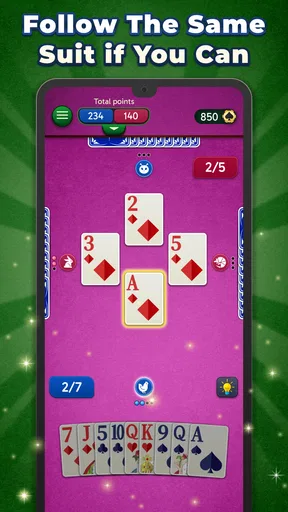
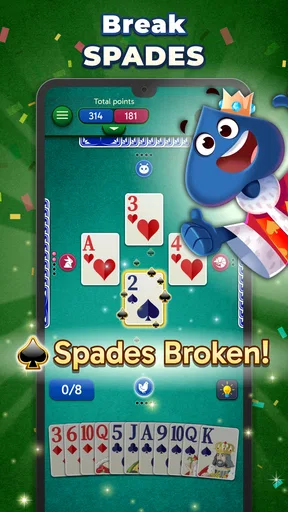
Spades Stars - Card Game is a digital version of the classic card game, Spades. Players can compete against AI or real opponents online. The game involves bidding, playing tricks, and strategically partnering with another player to reach a set score. Newcomers can benefit from the in-game tutorials to learn the basics and improve their skills.
Is Spades Stars - Card Game free to download and play?
Yes, Spades Stars - Card Game is free to download on both Android and iOS platforms. While the core gameplay experience is free, the app offers optional in-app purchases for items such as special card decks, no ads, or other premium features. These purchases are not required to enjoy the game fully.
Can I play Spades Stars - Card Game offline?
Spades Stars - Card Game does offer offline play against AI opponents, making it convenient for users without constant internet access. However, to enjoy multiplayer with friends or participate in online tournaments, an internet connection is necessary. This hybrid model ensures both flexibility and competitive play.
What are the key features of Spades Stars - Card Game?
Key features of Spades Stars include online multiplayer, customizable avatars, a variety of game modes, and detailed statistics tracking. The app also offers a chat feature for social interaction during games, and regular updates ensure new content and balanced gameplay. Players can also enjoy a range of difficulty levels.
How does the app ensure fair play and prevent cheating?
Spades Stars employs advanced algorithms to detect and prevent cheating, ensuring a fair experience for all players. The app regularly updates its security features and has a robust reporting system for any suspicious activity. Players are encouraged to report any irregularities they encounter during gameplay.


